
04 Aug 2026
Indore
- Indore
- Agra
- Ahmedabad
- Ahmednagar
- Ajmer
- Akola
- Aligarh
- Alwar
- Amravati
- Arrah
- Aurangabad
- Ayodhya
- Ballia
- Bareilly
- Barmer
- Basti
- Beed
- Begusarai
- Bengaluru
- Betul
- Bhagalpur
- Bharatpur
- Bhilwara
- Bhopal
- Bikaner
- Bilaspur
- Burhanpur
- Buxar
- Chamba
- Chandigarh
- Chennai
- Chhapra
- Chhindwara
- Chittorgarh
- Coimbatore
- Darbhanga
- Delhi
- Dewas
- Dhenkanal
- Dhule
- Dungarpur
- Etawah
- Faridabad
- Firozabad
- Gandhinagar
- Gaya
- Ghaziabad
- Gorakhpur
- Gurugram
- Gwalior
- Hamirpur
- Harda
- Hoshangabad
- Hyderabad
- Indore
- Jabalpur
- Jaipur
- Jaisalmer
- Jalgaon
- Jhansi
- Jodhpur
- Kangra
- Kanpur
- Katihar
- Katni
- Khandwa
- Khatima
- Kinnaur
- Kolhapur
- Kolkata
- Kota
- Kullu
- Lahaul and Spiti
- Latur
- Lucknow
- Mandi
- Mathura
- Meerut
- Moradabad
- Motihari
- Mumbai
- Munger
- Muzaffarpur
- Nagaur
- Nagpur
- Nanded
- Nashik
- Neemuch
- Noida
- Pali
- Parbhani
- Patna
- Prayagraj
- Pune
- Pune Maharashtra
- Purnia
- Ratlam
- Rewa
- Rohtak
- Sagar
- Saharanpur
- Samastipur
- Sangli
- Sasaram
- Satara
- Satna
- Seoni
- Shimla
- Shivpuri
- Sikar
- Sirmaur
- Sitamarhi
- Siwan
- Solan
- Solapur
- Sonipat
- Surat
- Tonk
- Udaipur
- Ujjain
- Una
- Vadodara
- Varanasi
- Vidisha
- Wardha
- Yavatmal
Indore
- Indore
- Agra
- Ahmedabad
- Ahmednagar
- Ajmer
- Akola
- Aligarh
- Alwar
- Amravati
- Arrah
- Aurangabad
- Ayodhya
- Ballia
- Bareilly
- Barmer
- Basti
- Beed
- Begusarai
- Bengaluru
- Betul
- Bhagalpur
- Bharatpur
- Bhilwara
- Bhopal
- Bikaner
- Bilaspur
- Burhanpur
- Buxar
- Chamba
- Chandigarh
- Chennai
- Chhapra
- Chhindwara
- Chittorgarh
- Coimbatore
- Darbhanga
- Delhi
- Dewas
- Dhenkanal
- Dhule
- Dungarpur
- Etawah
- Faridabad
- Firozabad
- Gandhinagar
- Gaya
- Ghaziabad
- Gorakhpur
- Gurugram
- Gwalior
- Hamirpur
- Harda
- Hoshangabad
- Hyderabad
- Indore
- Jabalpur
- Jaipur
- Jaisalmer
- Jalgaon
- Jhansi
- Jodhpur
- Kangra
- Kanpur
- Katihar
- Katni
- Khandwa
- Khatima
- Kinnaur
- Kolhapur
- Kolkata
- Kota
- Kullu
- Lahaul and Spiti
- Latur
- Lucknow
- Mandi
- Mathura
- Meerut
- Moradabad
- Motihari
- Mumbai
- Munger
- Muzaffarpur
- Nagaur
- Nagpur
- Nanded
- Nashik
- Neemuch
- Noida
- Pali
- Parbhani
- Patna
- Prayagraj
- Pune
- Pune Maharashtra
- Purnia
- Ratlam
- Rewa
- Rohtak
- Sagar
- Saharanpur
- Samastipur
- Sangli
- Sasaram
- Satara
- Satna
- Seoni
- Shimla
- Shivpuri
- Sikar
- Sirmaur
- Sitamarhi
- Siwan
- Solan
- Solapur
- Sonipat
- Surat
- Tonk
- Udaipur
- Ujjain
- Una
- Vadodara
- Varanasi
- Vidisha
- Wardha
- Yavatmal
- By Admin
- 0 Comments
- 18 Jul 2026
Google Business Profile Optimization Guide | Get More Local Customers | Seven Dial
-
Restaurant near me
-
Steel Supplier in Pune
-
Packaging Company in Delhi
-
Chartered Accountant in Jaipur
-
Loan Consultant in Agra
-
Electronics Store near me
-
Business Name
-
Business Category
-
Address
-
Phone Number
-
Website
-
Working Hours
-
Customer Reviews
-
Photos
-
Products
-
Services
-
Business Description
-
Is the business open?
-
Where is it located?
-
How do I contact them?
-
What products or services do they offer?
-
What do customers say about them?
-
More phone calls
-
More website visits
-
More direction requests
-
More customer enquiries
-
Increased brand awareness
-
Manufacturers
-
Suppliers
-
Retail Shops
-
Wholesalers
-
Service Providers
-
Consultants
-
Educational Institutions
-
Hospitals
-
Hotels
-
Restaurants
-
Construction Companies
-
Financial Services
-
Startups
-
MSMEs
-
What your business does
-
Which industries you serve
-
Your products or services
-
Your experience
-
What makes your business unique
-
Phone Number
-
Website
-
Email Address (if applicable)
-
Furniture Manufacturer
-
Financial Consultant
-
Packaging Company
-
Medical Equipment Supplier
-
Civil Contractor
-
Software Company
-
Business Name
-
Address
-
Phone Number
-
Website
-
Incomplete profiles
-
Incorrect business categories
-
Outdated contact information
-
Low-quality photos
-
Missing business descriptions
-
Ignoring customer reviews
-
Inconsistent business details
-
Irregular profile updates
-
Business Logo
-
Office Exterior
-
Office Interior
-
Team Photos
-
Product Images
-
Service Images
-
Factory or Warehouse Photos
-
Customer Service Area
-
Product Name
-
Short Description
-
Key Features
-
Industries Served
-
Service Area
-
What your company does
-
Who your customers are
-
Products or services offered
-
Business experience
-
Industries served
-
What makes your business different
-
Request feedback after successful service.
-
Respond professionally to every review.
-
Thank customers for positive feedback.
-
Address concerns respectfully.
-
New Products
-
New Services
-
Business Announcements
-
Industry Tips
-
Company Achievements
-
Seasonal Offers
-
Event Participation
-
Working Hours
-
Phone Numbers
-
Website URL
-
Address
-
New Services
-
Holiday Hours
-
What services do you offer?
-
What are your business hours?
-
Do you provide home delivery?
-
Which cities do you serve?
-
Profile Views
-
Search Queries
-
Website Clicks
-
Phone Calls
-
Direction Requests
-
Photo Views
-
Updating photos
-
Publishing posts
-
Responding to reviews
-
Answering customer questions
-
Revising business information when necessary
-
Customer reviews
-
Business information
-
Website quality
-
Online mentions
-
Overall reputation
-
Incomplete business information
-
Incorrect categories
-
Poor-quality images
-
Ignoring customer reviews
-
Outdated contact details
-
Inactive business profile
-
Duplicate business listings
-
Inconsistent information across different platforms
-
Complete every section of your profile.
-
Use your official business name.
-
Select the correct primary category.
-
Upload professional images.
-
Add products and services.
-
Keep contact information accurate.
-
Update business hours regularly.
-
Publish business posts consistently.
-
Respond to customer reviews.
-
Monitor profile insights each month.
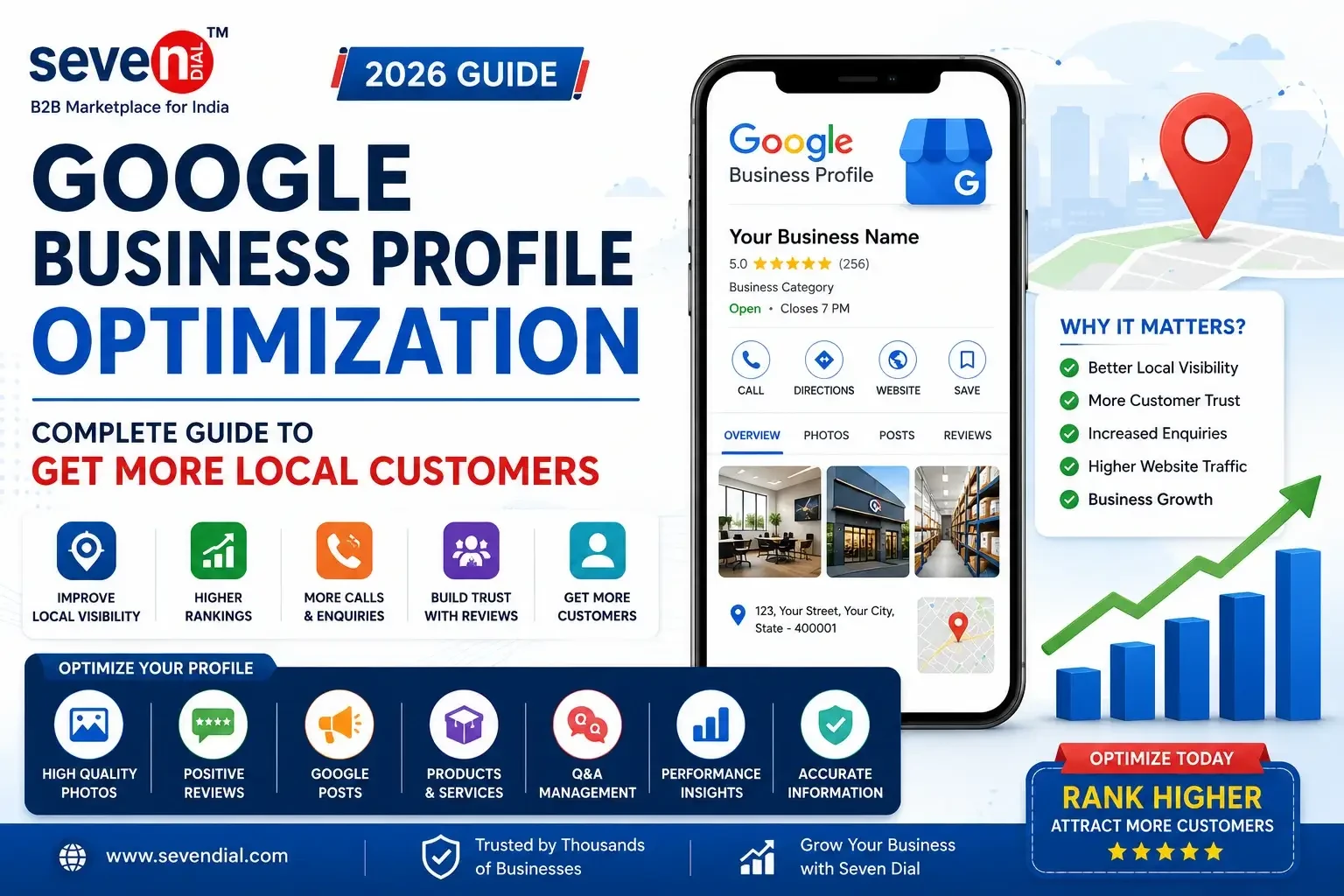
Google Business Profile Optimization Guide (2026): Complete Guide to Get More Local Customers
Introduction
When people need a nearby product or service, they rarely ask friends first. Instead, they open Google and search for businesses in their area.
Searches like:
happen millions of times every day.
For many of these searches, Google doesn't show websites first—it displays a map with local businesses.
This feature is powered by Google Business Profile (GBP), one of the most important tools for businesses that want to improve their online visibility and attract local customers.
Whether you operate a manufacturing company, retail store, service business, consultancy, or startup, a properly optimized Google Business Profile can help customers discover your business at the exact moment they are searching for products or services you offer.
This guide explains how Google Business Profile works, why it matters, and how businesses can optimize it to improve local visibility and generate more enquiries.
What Is Google Business Profile?
Google Business Profile is a free business listing provided by Google that allows businesses to manage how they appear across Google Search and Google Maps.
A business profile typically includes:
Instead of simply displaying your website, Google presents customers with essential business information before they even visit your site.
This helps users make faster decisions while improving your business's online visibility.
Why Google Business Profile Is Important
Google Business Profile has become one of the most valuable digital marketing assets for local businesses.
Customers want quick answers.
They usually look for:
A complete and accurate business profile answers these questions immediately, making it easier for customers to contact your business.
How Google Maps Helps Businesses Grow
Google Maps is no longer just a navigation tool.
It has become a powerful platform for discovering nearby businesses.
When customers search using location-based keywords, Google often displays a map showing businesses that are most relevant to the search.
Businesses with well-maintained profiles are more likely to appear in these local search results.
This visibility can lead to:
Benefits of an Optimized Google Business Profile
A well-managed profile provides several long-term benefits.
Better Local Visibility
Customers can find your business more easily when searching within your city or nearby areas.
Increased Customer Trust
A complete profile with accurate information and genuine customer reviews creates a professional first impression.
Higher Website Traffic
Many customers visit a company's website after reviewing its business profile.
More Customer Enquiries
Clear contact information and business details make it easier for customers to connect with you.
Better Brand Recognition
Appearing consistently in Google Search and Google Maps helps customers become familiar with your business.
Who Should Create a Google Business Profile?
Almost every legitimate business can benefit from having a Google Business Profile.
This includes:
Even businesses that primarily operate online can benefit if they serve customers within specific regions.
Essential Information Every Business Profile Should Include
Many businesses create a profile but leave important details incomplete.
A complete profile should include:
Business Name
Use your official business name consistently across all platforms.
Business Category
Select the category that best represents your primary business activity.
Choosing the correct category helps Google understand your business.
Business Description
Write a clear and informative description explaining:
Contact Information
Provide:
Customers should be able to contact you easily.
Business Hours
Keep your operating hours updated, especially during holidays or special events.
Business Address
If your business serves customers at a physical location, ensure the address is accurate and consistent.
Choosing the Right Business Category
Business category selection is one of the most important ranking factors for Google Business Profile.
The category tells Google what your business actually does.
For example:
Choosing unrelated categories may reduce your visibility for relevant searches.
Consistency Builds Trust
Your business information should remain consistent everywhere online.
The following details should match across your website, business directories, and social platforms:
Consistency helps both customers and search engines trust your business information.
Common Google Business Profile Mistakes
Many businesses reduce their visibility without realizing it.
Some common mistakes include:
Correcting these issues can significantly improve the quality of your business profile.
How to Optimize Your Google Business Profile
Creating a Google Business Profile is only the first step. To improve your visibility in Google Search and Google Maps, you need to keep your profile active, accurate, and helpful for potential customers.
Here are the most effective optimization strategies every business should follow.
1. Upload High-Quality Photos
Photos create the first visual impression of your business.
Businesses with professional images often receive more engagement because customers can better understand what the business offers before making contact.
Consider uploading:
Keep photos updated regularly to reflect your current business.
2. Add Complete Products and Services
Many businesses only mention their company name and contact details.
Instead, clearly showcase everything you offer.
For every product or service include:
A detailed profile helps customers make informed decisions.
3. Write a Clear Business Description
Your business description should explain:
Avoid promotional language that sounds exaggerated. Focus on providing useful and accurate information.
4. Encourage Genuine Customer Reviews
Customer reviews are one of the strongest trust signals for local businesses.
Satisfied customers are often willing to share their experiences when asked politely.
Good review practices include:
Never purchase fake reviews or publish misleading testimonials.
5. Respond to Every Review
Replying to reviews demonstrates that your business values customer feedback.
Whether a review is positive or negative, maintain a professional tone.
Helpful responses show future customers that your business is active and committed to customer satisfaction.
6. Publish Google Business Posts
Google Business Profile allows businesses to publish updates directly on their profiles.
Useful post ideas include:
Regular updates indicate that your business remains active.
7. Keep Business Information Updated
Businesses change over time.
Whenever information changes, update your profile immediately.
Examples include:
Accurate information improves both customer experience and credibility.
8. Monitor Questions and Answers
Customers may ask questions directly through your profile.
Common questions include:
Responding quickly helps customers make faster decisions.
9. Track Business Performance
Google Business Profile provides valuable insights into customer interactions.
You can analyze:
Reviewing this information helps you understand customer behavior and identify opportunities for improvement.
10. Keep Your Profile Active
Google generally favors businesses that maintain an active online presence.
You can keep your profile active by:
Regular activity demonstrates that your business is operational and engaged.
Factors That Influence Local Rankings
Google evaluates several signals when deciding which businesses appear in local search results.
Important factors include:
Relevance
How closely your business matches the user's search.
Distance
How close your business is to the location used in the search.
Prominence
How well-known and trusted your business appears online.
This can be influenced by:
Common Google Business Profile Mistakes
Many businesses reduce their visibility through avoidable mistakes.
Examples include:
Avoiding these mistakes creates a stronger foundation for long-term local visibility.
Google Business Profile Optimization Checklist
Use this checklist to maintain a professional profile:
Consistency is one of the most important factors in long-term profile management.
Frequently Asked Questions (FAQ)
1. Is Google Business Profile free?
Yes. Google Business Profile is free to create and manage for eligible businesses.
2. Can online businesses create a Google Business Profile?
Businesses that serve customers within specific service areas may be eligible, even if they do not operate a public storefront.
3. How often should I update my profile?
Review your profile regularly and update it whenever business information changes. Publishing fresh posts and photos on a consistent basis also helps keep your profile active.
4. Do customer reviews affect visibility?
Customer reviews contribute to trust and may influence how users interact with your business profile. Genuine reviews also help potential customers make informed decisions.
5. Why are photos important?
High-quality photos help customers understand your business, build confidence, and create a stronger first impression.
Final Thoughts
Google Business Profile has become one of the most valuable tools for businesses that want to strengthen their local presence.
A complete, accurate, and regularly updated profile helps customers discover your business, understand what you offer, and contact you with confidence.
Rather than treating it as a one-time setup, businesses should view Google Business Profile as an ongoing part of their digital marketing strategy.
Conclusion
Local customers often make purchasing decisions within minutes of searching online.
A well-optimized Google Business Profile helps ensure that your business is visible during those critical moments.
By maintaining accurate information, publishing useful updates, responding to customer reviews, and continuously improving your profile, you create a stronger online presence that supports long-term business growth.
Businesses that consistently invest in their Google Business Profile are better positioned to build trust, improve local visibility, and generate meaningful customer enquiries.
Continue Reading Blogs
Explore these related guides to grow your business online:

Leave A Comment
Your email address will not be published. Required fields are marked *